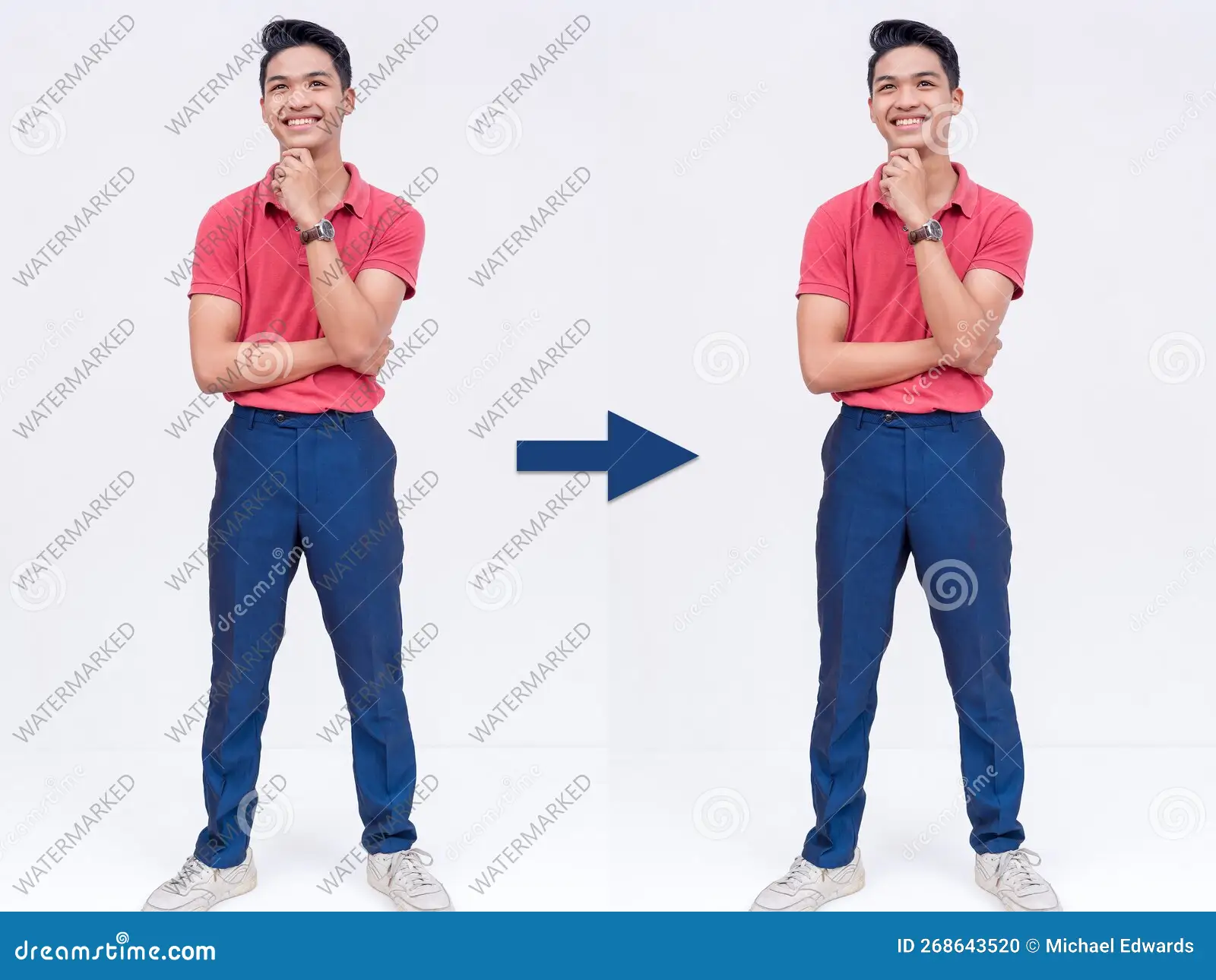
Watermarks have long been used as a digital protection method to prevent unauthorized use of images. Whether it’s a photographer’s logo, a stock website stamp, or a transparent overlay, watermarks help creators maintain ownership. But with the rise of modern artificial intelligence tools, users are now wondering: Can AI automatically remove watermarks from images? The answer is yes—AI watermark removers can delete or reduce watermarks with surprising accuracy. However, there are important details, limitations, and ethical considerations you should know.
In this article, we’ll break down how AI watermark remover work, how accurate they are, the best tools available, and when it is legally safe (or unsafe) to use them.
How AI Watermark Removers Work
AI watermark removal tools use advanced technologies like:
- Deep learning
- Inpainting models
- Pattern recognition
- Texture reconstruction
These tools analyze the watermark area, understand the surrounding pixels, and rebuild the background automatically. Instead of manually cloning or brushing over the watermark, AI does it within seconds—often with very realistic results.
Most AI watermark removers follow three steps:
- Detect: The AI identifies the watermark based on shape, color, transparency, or repeated patterns.
- Remove: It erases the visible watermark area.
- Reconstruct: The tool fills in the missing background using content-aware fill and generative reconstruction.
This process allows AI tools to restore the image as if the watermark was never there—especially when the watermark is simple, semi-transparent, or located on uniform backgrounds.
Can AI Remove All Types of Watermarks?
AI is powerful, but not perfect. Its effectiveness depends on the type of watermark:
1. Simple or Transparent Watermarks – Easy to Remove
Watermarks that are lightly applied, semi-transparent, or appear in corners are the easiest for AI to erase.
Tools can reconstruct backgrounds with almost no visible trace.
2. Repeated Pattern Watermarks – Moderately Easy
Many stock photos use repetitive texts like “Shutterstock” across the entire image.
Modern AI tools can still remove them, but:
- Some areas may appear slightly blurry
- Reconstruction might look artificial in complex scenes
3. Large, Opaque, Centered Watermarks – Harder to Remove
When the watermark covers a face, object, or main subject, AI may struggle because:
- Too much original data is missing
- AI must generate new content, which might not be accurate
While it can still remove the watermark, the final result may not be perfect.
Top AI Watermark Removers You Can Use
Here are some of the most popular AI tools used to remove watermarks:
1. Adobe Photoshop (Generative Fill)
- Extremely powerful
- Ideal for both simple and complex watermarks
- Requires a subscription
2. HitPaw Watermark Remover
- User-friendly
- Designed specifically for watermark removal
- Works well on images and videos
3. SnapEdit AI
- Free online tool
- Removes watermarks with one click
- Good accuracy for simple watermarks
4. Cleanup.pictures
- AI-powered background reconstruction
- Best for removing small objects, text, and stamps
5. Wondershare PixCut
- Cloud-based
- Good for removing logos and transparent watermarks
Each tool uses its own AI algorithm, so results can vary. Try multiple tools for the best outcome.
Is It Legal to Remove Watermarks Using AI?
This is one of the most important factors to understand.
✔ Legal When:
- You own the image
- You have permission from the creator
- You are removing your own watermark
- You’re restoring old images for personal use
✘ Illegal When:
- You remove a watermark from an image you did NOT purchase
- You use the image commercially without rights
- You attempt to claim someone else’s work as your own
Watermarks exist to protect copyright. Removing them from someone else’s content without permission is a violation—AI does not change that.
Pros of Using an AI Watermark Remover
- Saves time compared to manual editing
- Extremely easy to use
- Produces natural and clean results
- Works well for personal projects
- Useful for restoring damaged or scanned photos
Limitations of AI Watermark Removal
- Not always perfect for large or detailed watermarks
- May generate unrealistic textures
- Could violate copyright if misused
- Quality depends on the complexity of the original background
Final Thoughts
So, can AI automatically remove watermarks from images?
Absolutely—modern AI watermark removers are powerful, fast, and surprisingly accurate. They can handle everything from small logos to large text overlays. However, users must be responsible. Removing watermarks from copyrighted images without permission is illegal and unethical.
If you are editing your own photos, restoring old pictures, or working with authorized content, AI tools can make your work incredibly easy. Just ensure you use them within legal and ethical boundaries.