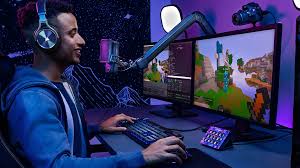
Streaming and gaming are huge parts of today’s lifestyle. Every second counts when you play or go live. Yet most people ignore the biggest factor affecting their experience: the network connection. Wi-Fi seems convenient, but it often causes lag, slow uploads, and high ping. These interruptions can ruin streams and disrupt competitive gaming.
For anyone serious about performance, the solution is simple: a wired Ethernet cable connection.
Why Wi-Fi Fails
Wireless networks are easy to set up. That makes them tempting. But convenience comes at a cost. Wi-Fi signals weaken as they pass through walls and furniture. Multiple devices sharing the network compete for bandwidth. Even a strong router can’t guarantee consistent speed in a crowded home.
The result is buffering, frame drops, and delayed responses. For live streams and online games, this instability can be a real problem.
Lag and Ping Explained
Gamers and streamers notice two key issues: lag and ping. Lag happens when your commands take too long to register. Ping measures the time data takes to travel between your device and the server. High ping can delay actions by fractions of a second, which is enough to lose a match or have a stream freeze.
Wi-Fi struggles to keep both lag and ping low, especially in busy households or apartments with thick walls.
Wired Connections Are the Hack
Ethernet solves these problems. A wired connection offers stability, speed, and consistency. Unlike wireless, it is unaffected by distance from the router or interference from other devices. Commands register instantly. Streams stay smooth. Downloads complete without interruptions. For competitive gaming and high-quality streaming, Ethernet is a hidden advantage. It transforms the setup from frustrating to seamless.
Aesthetic Gaming
Modern setups are about more than performance; they are also visual. Colored cables are part of the design. Red, blue, and yellow Cat6 patch cords match the gaming PC, LED lights, and desk accessories. A wired connection no longer means messy cables everywhere.
With proper management, Ethernet cables can blend into the setup, keeping it clean while delivering maximum performance.
Setup Tips
Creating a lag-free setup requires a few key steps. First, identify the main devices for streaming and gaming. Next, choose high-quality Ethernet cables. Use cable management clips or sleeves to keep them organized. Place access points strategically if needed, but prioritize wired connections for main devices. These steps create a balance between performance and aesthetics.
Following are some essential tips for an optimal setup:
- Use dedicated Cat6 patch cords for primary devices
- Match cable colors with the setup for a clean look
- Keep cables off the floor and behind desks using clips or channels
- Avoid running cables near power lines to reduce interference
- Test connections regularly to ensure low ping and minimal lag
Following these tips keeps both the performance and look of the setup in check.
The Advantage for Streamers
Streamers rely on consistent upload speeds. Even a single glitch can affect viewers. Ethernet ensures steady data flow, allowing high-quality video without interruptions. Multi-device households benefit too.
A wired connection stabilizes the network for gaming consoles, PCs, and streaming devices simultaneously. It keeps streams professional and enjoyable for the audience.
Gaming Performance
Competitive gamers need every millisecond to count. Wi-Fi can’t guarantee precise timing, especially in fast-paced games. Wired connections keep ping low and actions responsive. The difference is noticeable in reaction time, frame drops, and overall experience. Ethernet acts as a silent upgrade that significantly improves performance without changing hardware.
Future-Proofing Your Setup
Investing in quality Ethernet cables today prepares your setup for tomorrow. Cat6 patch cords support higher speeds and longer runs. They accommodate future upgrades to PCs, consoles, or streaming equipment.
A colorful and durable cable can last for years without losing performance. Using Bulk Ethernet cables ensures that multiple devices and future expansions remain well-supported.
Conclusion
Wi-Fi may be convenient, but it often limits the performance of a gaming or streaming setup. Lag, high ping, and inconsistent speeds can interrupt gameplay and disrupt live broadcasts. A wired connection using networking accessories and Cat6 Plenum Cable offers a more stable alternative by keeping streams smooth and gameplay responsive.
With good cable management and the right layout, wired setups can be both clean and visually appealing, giving users a reliable foundation for long-term performance.