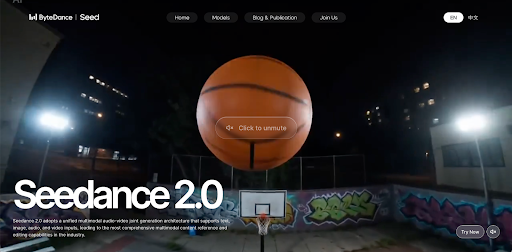
If you want to try Seedance without paying first, Videoinu is a practical place to start. New users get free credits to test the workflow, and Seedance is available inside Videoinu’s regular video creation tools.
Seedance is built for text- and image-based video generation, and its official materials emphasize strong motion stability, high visual naturalness, multi-shot generation, and cinematic output.
What makes Seedance interesting is its balance of motion and control. Videoinu presents Seedance as a good fit for energetic, motion-driven clips, while ByteDance’s official materials describe support for text, image, and in newer versions even audio/video references, with stronger control over performance, lighting, and camera movement.
What Seedance Is Good For
Seedance works well when your clip depends on movement. The official Seedance materials emphasize motion stability, prompt following, multi-shot generation, and cinematic aesthetics, which makes it a strong fit for action-led scenes, short concept shots, and more dynamic visual ideas.
On Videoinu, Seedance is framed similarly as a model for energetic, motion-driven AI videos. That makes it a useful choice when you want a clip with clear physical action, camera movement, or rhythm, rather than something purely static or mood-based.
How to Use Seedance on Videoinu
Step 1: Sign Up for Videoinu
Start by creating a Videoinu account. Videoinu offers free credits for new users, which gives you a simple way to try Seedance before deciding whether to keep going. Videoinu’s broader workflow is built around turning text or scripts into videos quickly, with additional tools for character creation, character consistency, and multiple art styles.
Step 2: Open a Video Tool and Choose Seedance

After signing in, open one of Videoinu’s video creation tools and choose Seedance as the model. Seedance on Videoinu supports both text-to-video and image-to-video style creation paths, so you can start from either a prompt or a visual reference depending on what you already have.
If you only have an idea in your head, start with text. If you already have a strong still image, use image input instead.
Step 3: Start with a Clear Prompt or Image
If you use text input, begin with a prompt that gives Seedance one readable scene.
For example:
A dancer moves through a neon-lit street at night, fast footwork, strong camera motion, cinematic mood.
This kind of prompt works well because Seedance is strongest when the action is clear and the movement matters. That fits the official emphasis on motion stability, prompt following, and cinematic output.
If you use an image instead, keep the extra prompt focused on motion, pacing, or camera feel rather than restating everything already visible in the image.
Step 4: Focus on Motion, Pacing, and Camera Feel
This is the step that matters most with Seedance. Instead of only describing what the scene looks like, think about how it moves.
It helps to define:
- what the subject is doing
- how fast the action should feel
- how the camera should move
- whether the scene should feel smooth, dramatic, or rhythmic
That approach lines up with Seedance’s official positioning around motion stability, multi-shot flow, and control over camera movement and performance.
Step 5: Generate, Review, and Improve
Generate the first version and treat it like a draft. Watch it and check whether the motion feels smooth, whether the action is easy to follow, and whether the camera behavior matches your idea.
If the result is close but not right, change one thing at a time. Tighten the action. Simplify the scene. Make the motion direction clearer. Small prompt changes are often more useful than rewriting everything from scratch. This is an inference based on Seedance’s prompt-following and motion-focused design.
Why Videoinu Is a Good Place to Try Seedance
One reason is simplicity. Seedance fits into the same general creation flow as the other models on Videoinu, so you do not need to learn a separate process just to test it. Another reason is flexibility: Videoinu combines model-based creation with other workflows for text-driven video creation, longer videos, and story-friendly production.
That makes Videoinu useful whether you want to make one dynamic Seedance clip or use that clip as the starting point for something bigger.
Tips for Better Seedance Results
Start with one clear action. Seedance tends to work better when the motion is easy to understand quickly. That follows from the model’s emphasis on movement quality and prompt following.
Use text input for quick testing. If you are still shaping the idea, a prompt-first workflow is usually the fastest way to see how Seedance handles movement and pacing. Videoinu’s text-to-video tool is built for that kind of use.
Use image input when the look already matters. If you already have artwork, a product shot, or a visual reference, starting from an image can give you more control over the result. Seedance officially supports both text and image inputs.
Final Thoughts
The easiest way to use Seedance for free on Videoinu is to sign up, choose Seedance inside a video tool, and start with a clear prompt or image. If your goal is dynamic AI video with stronger motion, smooth camera behavior, and more cinematic energy, Seedance is one of the most natural models to try first.
FAQs
Can I use Seedance for free on Videoinu?
Yes. Videoinu offers free credits for new users, which can be used to try the creation workflow and test Seedance.
What is Seedance best for?
Seedance is best for motion-driven AI videos, including text- and image-based clips with strong prompt following, smooth motion, and cinematic styling.
Can I start with text or image input?
Yes. Seedance supports both text and image inputs, and Videoinu lets you create with either depending on your starting point.
Is Seedance good for multi-shot scenes?
Yes. Seedance’s official materials describe it as supporting multi-shot generation and seamless transitions.
Does Seedance only work for short clips?
Seedance is often used for short clips and concept shots, but its official materials also emphasize multi-shot generation, and Videoinu supports longer broader video workflows around model-based clip creation.