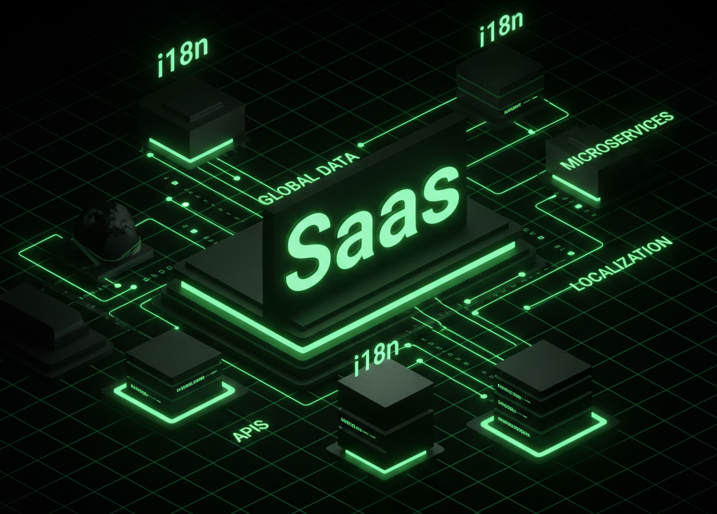
Scaling a SaaS product globally is not merely a translation task; it is an architectural challenge that demands a rigorous engineering strategy from day one. In February 2026, the standard for global readiness goes beyond simple key-value replacements. It involves sophisticated string architectures, context-aware message formats, and automated pipelines that treat translation as a continuous integration process.
The following guide details the technical and operational frameworks required to build a truly global SaaS application.
Core Technical Pillars for SaaS i18n
The foundation of any localized application lies in how it decouples code from content. For a modern SaaS platform, this requires a robust string architecture that can handle the linguistic complexity of dozens of locales without code duplication or fragility.
String Architecture and Externalization
The golden rule of internationalization (i18n) is complete externalization. Hardcoded strings are technical debt that exponentially increases the cost of localization (l10n). A mature SaaS architecture utilizes a “source of truth” repository – typically JSON, YAML, or PO files – where every user-facing string is assigned a unique, immutable identifier.
Key Naming Conventions:
Effective key naming is critical for maintainability. Avoid generic keys like button.save which lack context. Instead, use a semantic structure that indicates the location and function of the string, such as settings.profile.save_button.label or dashboard.analytics.export_error.title. This hierarchy allows developers to organize translation files logically and helps translators understand where the text appears in the UI.
The ICU Message Format
Simple string replacement is insufficient for dynamic SaaS applications. You cannot simply concatenate strings (e.g., “You have ” + count + ” items”) because word order varies by language. The industry standard solution is the ICU Message Format, a powerful syntax that allows developers to embed logic directly into translation strings.
The ICU format handles three critical complexities:
- Variable Interpolation: Instead of concatenation, placeholders are used.
“Welcome back, {username}!”
This ensures that the translator can move the {username} token to the appropriate position in the sentence for their language. - Pluralization: This is the most common failure point in basic i18n implementations. English has two plural forms (one and other), but languages like Arabic have six (zero, one, two, few, many, other). ICU handles this gracefully within the string itself, removing complex if/else logic from your application code.
Example of an ICU Plural String:
text
{itemCount, plural,
=0 {No items in your cart}
one {1 item in your cart}
other {{itemCount} items in your cart}
}
- By passing itemCount to the translation engine, the correct string is rendered based on the target locale’s plural rules.
- Select (Gender/Switch) Logic: SaaS apps often need to adjust terminology based on user roles or gender. The select argument allows different text versions based on a strict set of keywords.
text
{role, select,
admin {Configure system settings}
editor {Edit content}
viewer {View dashboard}
other {Access denied}
}
- This keeps business logic for text variations inside the translation file rather than polluting the codebase with conditionals.
Locale Rules and Formatting
Beyond text, data formatting is a major component of i18n. Dates, numbers, currencies, and percentages must be presented in a format familiar to the user. In 2026, reliance on the browser’s native Intl API is the standard best practice, reducing the need for heavy external libraries.
- Dates: A date like “02/06/2026” is ambiguous (February 6th in the US, June 2nd in Europe). Using DateTimeFormat ensures the date is rendered correctly for the user’s specific locale (e.g., en-US vs. de-DE).
- Numbers: Decimal separators (dots vs. commas) and digit grouping differ globally. The NumberFormat API automatically handles these nuances, ensuring that a price like “1,000.00” in English appears as “1.000,00” in German.
SaaS Localization (l10n) Workflow
Building the architecture is only half the battle; the operational workflow determines how efficiently you can ship updates. A modern i18n saas strategy relies on Continuous Localization, integrating translation directly into the CI/CD pipeline.
Extraction and Source Maintenance
The workflow begins with extraction. Automated tools scan the codebase for translation keys (e.g., specific functions like t(‘key’) or <Trans>) and generate the source language file. This file – usually English – serves as the master template. This step should be automated via scripts to prevent human error and ensure no new strings are missed during a release.
Translation Management Systems (TMS)
The extracted source file is then pushed to a Translation Management System (TMS). The TMS is the collaborative hub where translators, reviewers, and developers interact. It serves as the “source of truth” for all language data.
Modern TMS platforms support “Over-the-Air” (OTA) updates or Git integrations. When a developer pushes code with new strings to a repository (e.g., GitHub/GitLab), the TMS automatically detects the new keys and notifies translators. Once translations are approved, the TMS opens a Pull Request (PR) back to the codebase with the updated locale files.
Continuous Localization (CI/CD)
In a CI/CD environment, localization is treated like any other code artifact.
- Push: Developer pushes a feature branch with new keys.
- Sync: The CI pipeline uploads these keys to the TMS.
- Translate: Machine translation (MT) or human translators provide initial drafts.
- Pull: The pipeline downloads the latest translations before the build step.
- Deploy: The application is deployed with up-to-date languages, often without a dedicated “localization freeze” period
For teams looking to optimize this pipeline, detailed guides on setting up an automated i18n saas workflow can provide specific configuration examples for tools like GitHub Actions and Jenkins.
Context and Quality Assurance
Context is king in localization. A translator seeing the string “Home” needs to know if it refers to a “Home Page,” a “Home Address,” or a navigation button. Providing context – via screenshots attached to keys in the TMS or descriptive comments in the code – drastically reduces translation errors.
Additionally, “pseudo-localization” is a vital QA step. This involves generating a fake language version (e.g., expanding string length by 30% and replacing characters like a with à) to test the UI’s flexibility. If the layout breaks with pseudo-localization, it will break with real German or Russian translations.
Best Practices for SaaS
To maintain a scalable i18n system, adherence to strict development practices is essential.
Never Concatenate Strings
Concatenation breaks sentence structure in other languages.
Bad: <div>You have ” + count + ” new messages</div>
Good: <div><Trans i18nKey=”inbox.new_messages” count={count} /></div>
This ensures the translator controls the entire sentence structure, including word order and plurality.
Load Locales Asynchronously
For a large SaaS application, bundling all translation files into the main JavaScript bundle can severely impact performance. Best practice dictates lazy-loading locale files. The application should initially load only the user’s active language. If the user switches languages, the new JSON file is fetched on demand. This keeps the initial bundle size small and the Time to Interactive (TTI) low.
Handle Rich Text Carefully
Often, strings contain formatting like bold text or links (e.g., “Click here to read more”). Avoid putting HTML tags directly into translation strings if possible, as it exposes the app to XSS vulnerabilities and confuses translators. Instead, use interpolation components provided by libraries (like Trans in React-i18next or FormattedMessage in React-Intl) that map safe tags to the translated string.
Validation in the Pipeline
Add a validation step to your CI pipeline that checks for:
- Missing keys in the source file.
- Invalid ICU syntax (e.g., unclosed braces).
- Keys that exist in translation files but are no longer used in the code (zombie keys).
Cleaning up unused keys is vital for keeping file sizes manageable and reducing translation costs.
FAQs
Why can’t I just use if/else statements for plurals?
Using if/else logic for plurals scales poorly. While English only has two forms, languages like Russian or Arabic have complex rules involving specific number ranges (e.g., numbers ending in 1 vs. 2-4 vs. 5-9). Hardcoding these rules into your business logic makes the code unmaintainable. The ICU Message Format abstracts this complexity, allowing the translation engine to apply the correct rule based on the locale.
How should I handle “gender” in translations?
Many languages (like French, Spanish, or Hebrew) require adjectives and verbs to agree with the gender of the subject. Use the ICU select argument to create grammatical variants within a single key. This avoids creating duplicate keys like user_welcome_male and user_welcome_female, keeping your code cleaner.
What is the difference between i18n and l10n?
Internationalization (i18n) is the process of designing the software architecture to support multiple languages and regions (e.g., enabling code to handle variable date formats). Localization (l10n) is the actual adaptation of the product for a specific market, which includes translating text and adjusting cultural elements. You cannot have an effective l10n without a strong i18n.
Should I store translations in the database or files?
For static UI text (buttons, labels), files (JSON/YAML) are preferred because they can be version-controlled and cached by the browser. For dynamic user-generated content (e.g., product descriptions in an e-commerce SaaS), storing translations in the database is necessary. A hybrid approach is often best for complex SaaS platforms.