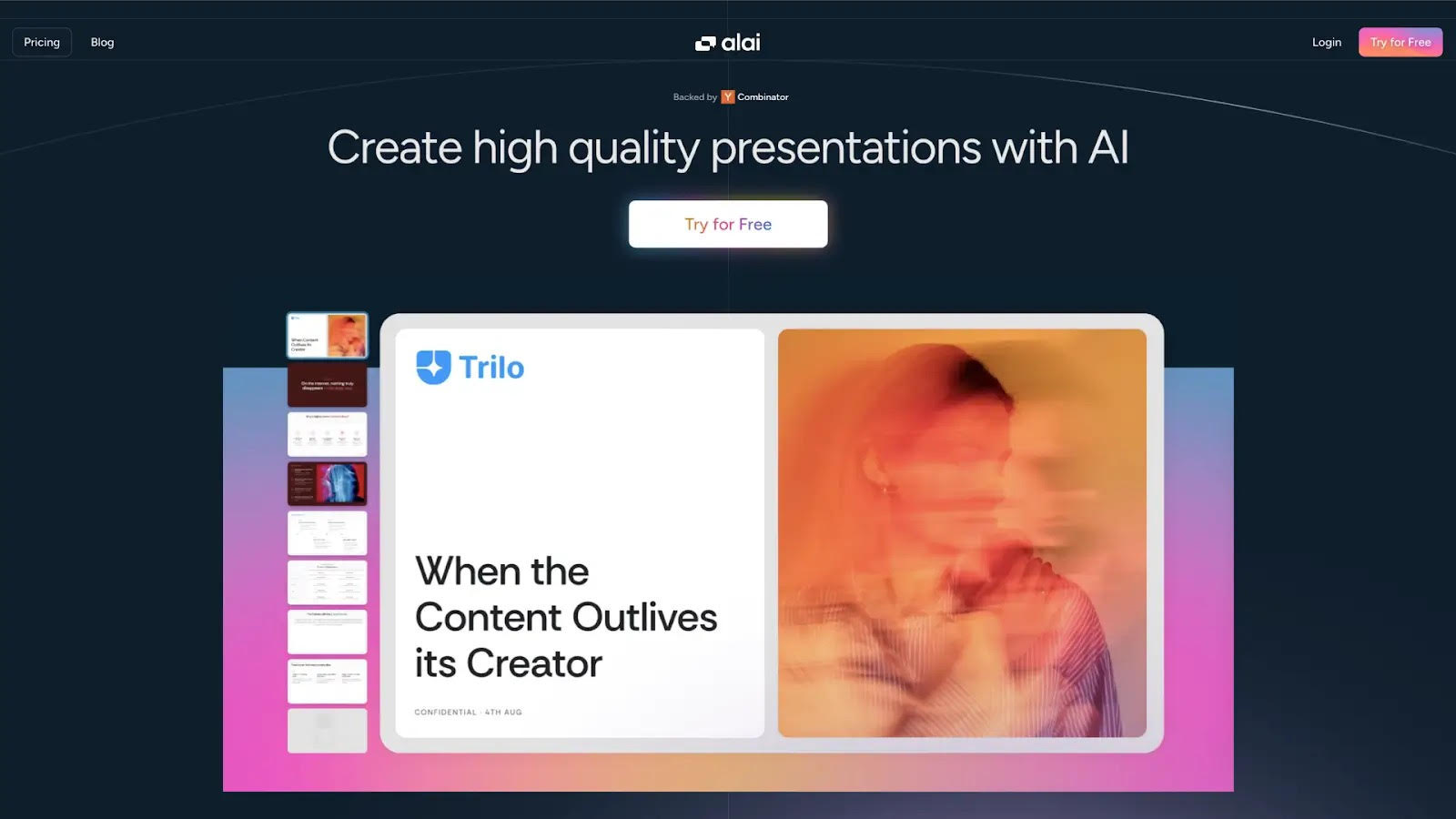
Alai vs. Beautiful.ai: Which AI Presentation Maker Gives You Real Creative Control?
AI presentation makers have changed how people approach slide creation. Tasks that once took hours can now be completed in minutes.
But not all AI presentation makers work the same way. Some rely heavily on templates. Others focus on flexibility while still protecting visual quality.
Beautiful.ai uses Smart Slide templates that automatically adjust layouts. Users are guided into predefined structures that maintain consistency with minimal effort.
Alai takes a different path. Instead of fixed templates, it focuses on dynamic layouts that adapt as ideas change.
This article compares both tools through a practical lens, not which looks better in a demo, but how each holds up when presentations evolve and creative control matters.
Quick Comparison: Alai vs. Beautiful.ai at a Glance
| Aspect | Beautiful.ai | Alai |
| Design quality | Flat colors, basic layouts | Modern gradients, shadows, layering |
| Layout behavior | Fixed Smart Slide templates | Dynamic layouts that adapt to content |
| AI options per slide | 1 | 4 |
| AI diagram generation | Not supported | Full support (Venn, quadrants, flows) |
| AI context awareness | Slides processed in isolation | Uses full presentation context |
| Nano Banana Pro integration | Not supported | Allows creating image slides using Nano Banana Pro that are theme aware and editable |
| Editing freedom | Limited by template constraints | Open but controlled |
| Spacing control | Preset options only | Full control over margins/padding |
| Complex layouts | Not supported | Multi-element arrangements available |
| Export to PowerPoint | Formatting issues common | Clean export, formatting preserved |
| Free tier | 14-day trial (credit card required) | 300 AI credits for free, no card needed |
| Paid pricing | $12/mo (annual) or $45/mo | Starts at $20/mo |
| Best for | Quick, predictable decks | High-quality presentations needing flexibility |
What is Beautiful.ai?
Beautiful.ai is an AI-powered presentation tool designed to help users create professional slides quickly. It positions itself as a smarter alternative to PowerPoint and Keynote.
The platform is built around Smart Slides, template-based layouts that automatically adjust as you add content. When you type text or add images, the system realigns elements to maintain visual consistency.
Key Features
- AI deck generation: Create presentations from prompts, pasted content, URLs, or uploaded files. DesignerBot translates your input into a complete deck with slides, text, and visuals.
- 300+ Smart Slide templates: Choose from a library of pre-designed layouts covering common presentation formats – pitch decks, reports, proposals, and more.
- DesignerBot AI assistant: Generate entire decks or individual slides from prompts, rewrite text in different tones, and create AI images to complement your content.
- Automatic design adjustments: Smart Slides automatically realign, resize, and rebalance elements as you add or edit content, applying professional design rules in real time.
- Team collaboration: Work together on presentations with real-time collaboration, shared workspaces, and permission controls for team members.
- Brand customization: Apply custom fonts, colors, and logos to maintain brand consistency across all your presentations.
- Export flexibility: Download presentations as PowerPoint (.pptx), PDF, or image files. Present directly from the browser or use the desktop player for offline presenting.
- Presentation analytics: Track views, unique viewers, completion rates, and time spent per slide to measure how your audience engages with your content.
Pricing
- 14-day free trial (credit card required)
- $12/month (billed annually) or $45/month
What is Alai?
Alai is an AI presentation maker built with a presentation-first philosophy. Unlike multi-format tools, Alai is designed specifically for creating high-quality slides.
The core difference: rather than forcing content into templates, Alai generates dynamic layouts that adapt to fit your message.
Key Features
- Four slide options per idea: Every time you generate a slide, Alai gives you four distinct design options so you can choose what fits best.
- Responsive canvas: Everything adjusts automatically as you work. No manual resizing or pixel tweaking.
- Rich element library: Add Compare Two, Feature Matrix, Funnel, Hub & Spoke, Pie Chart, and other visuals that adapt perfectly to your content.
- Full creative control: Edit anything, either manually or with AI. Rewrite text, restyle visuals, or change layouts in seconds.
- Context-aware AI: Every AI action understands the full deck. When you rewrite, summarize, split or merge slides, or generate visuals, it considers context so everything fits naturally.
- Customizable themes: Create custom themes using existing templates or from scratch.
- AI image generation: Create or edit images directly inside your deck with model options that fit your visual style.
- Nano Banana Pro slide generation: Generate and edit Nano Banana Pro slides directly in Alai. NBP slides are theme-aware, editable, and easy to refine using presets and annotations.
- Import & export: Import existing PDFs or decks, restyle them instantly, and export to PDF or PowerPoint.
- API access: Programmatically create on-brand, high-quality decks for recurring use cases.
- Analytics: Track how viewers engage with your presentations.
Pricing
- Free – 300 AI credits (no credit card required)
- Paid plans starting at $20/month
How to Use Beautiful.ai: Step-by-Step Guide
Step 1: Sign Up
- Visit beautiful.ai and create an account
- 14-day free trial available (credit card required)
- Click “Create Presentation” to begin
Step 2: Choose Your Starting Point
- Generate With AI: Enter a prompt for a complete deck
- Start from Template: Choose from the template gallery and paste the content you want to use
Step 3: Customize the Outline
- Review the AI-generated outline
- Adjust slide count and section structure
- Select language and visual theme
Step 4: Generate Your Deck
- Click “Generate Presentation”
- Wait for DesignerBot to create slides (a few minutes)
- Smart Slide templates are applied automatically
Step 5: Edit Using Smart Slides
- Click elements to modify text, images, or colors
- Templates auto-rebalance as you edit
- Add new slides from the template library or via AI
- Switch slide layouts using smart slide suggestions
Step 6: Present, Share, or Export
- Present: Full-screen display
- Share: Generate links or invite collaborators
- Export: Download as PowerPoint, PDF, or images
- Track: Use analytics to measure engagement
How to Use Alai: Step-by-Step Guide
Step 1: Sign Up
- Visit getalai.com and create a free account
- No credit card required
- Click “Create New” to start
Step 2: Choose Your Creation Method
- Paste Content: Transform text or outlines
- Import File/URL: Convert documents or web pages
- Extract from Screenshots: Convert images to slides
Step 3: Choose a Theme & Review Outline
- Choose a theme or build a custom theme as per your brand
- Review the outline for your deck
- Choose how many variations you want to receive for each slide and if they should be regular or image slides*
*image slides refers to slides created using Nano Banana Pro, recommended for visually heavy slides like infographics and charts.
Step 4: Pick A Layout
- Alai presents 4 different layout variations per slide
- Options include versions with/without images
- Different visual arrangements and content emphasis
- Select what best communicates your message
Step 4: Refine with AI or Manually
- Edit content or layouts by providing instructions to AI
- Beautify slides using Nano Banana Pro
- Make edits manually to elements with detail edit controls including headline hierarchy, font size, color, padding, alignment and more
Step 5: Export and Share
- Export to PowerPoint (.pptx) with formatting preserved
- Download as PDF
- Generate trackable links
Comparison Criteria: How Did We Test Both AI Presentation Makers?
We evaluated both tools across criteria that matter most in professional workflows:
| Criteria | What We Assessed |
| Design Quality & Flexibility | Visual sophistication, modern principles, control over spacing and positioning |
| AI Capabilities | Options generated, iteration ability, context awareness, diagram support |
| Ease of Iteration | How easily users can revise, refine, and evolve presentations over time |
Now that we’ve covered what each tool does and how they work, let’s dive into how they compare.
Design: Beautiful.ai’s Fixed Templates vs. Alai’s Dynamic Layouts
The most fundamental difference between Beautiful.ai and Alai lies in how they approach presentation design. This difference shapes everything that follows from how slides look to how easily they can be modified.
Beautiful.ai Looks Flat and Dated vs. Alai Feels Modern and Handcrafted
Beautiful.ai’s slides have a dated look because the platform uses flat colors and minimal layering. The Smart Slide templates were designed for consistency and ease of use, but this comes at the cost of visual sophistication. Slides produced in Beautiful.ai tend to look like content fitted inside an old PowerPoint template rather than professionally designed presentations.
Alai looks modern and professional because it uses advanced color theory and the latest CSS design principles. Slides incorporate gradients, shadows, blurs, and overlays to create visual depth that feels rich, dynamic, and current. The result is output that looks hand-crafted by a professional designer rather than auto-generated by a template system.
This difference becomes especially noticeable when comparing similar content across both platforms. A content-heavy slide in Beautiful.ai will have clean alignment and readable text, but it will also look like thousands of other slides created in the same tool. The same content in Alai produces a slide with visual character, layered sections, sophisticated color relationships, and design choices that feel intentional rather than default.
Beautiful AI: Template Focused Design With Limited Flexibility
Beautiful AI heavily focuses on its prebuilt templates to provide the first draft. Unlike Alai’s option to choose from 4 layouts, this approach gives you little control over layout style or first-draft variations.
In terms of iteration:
- You can add elements (text, icons, images), but placement is random, often needing manual adjustment.
- Smart Slides allow you to switch the layout but leave content unchanged, leading to poorly fitted slides where design and messaging don’t align
- Layouts are limited to the smart slide gallery with no option of using AI to build new layouts that are better fitted for the content
- Due to its heavy focus on static slides, addition of multiple elements and sections become hard leading to content being divided between multiple slides
Alai’s slide with two elements – circular process and metrics. Not possible on Beautiful because only one main element is allowed on the slide.
Beautiful.ai Doesn’t Support Free Canvas Elements
Beautiful.ai restricts users to predefined elements with no option to create complex hand-drawn visualizations. If a presentation needs a Venn diagram, quadrant chart, onion diagram, or Gantt chart, users are limited to whatever versions exist in the template library, if they exist at all.
In Alai, both users and the AI can create free canvas elements. These include Venn diagrams, quadrants, onion diagrams, process flows, comparison charts, and other visualizations that professional presentations frequently require. Users can combine free canvas elements with predefined smart elements, arranging them in rows, columns, or complex orientations that Beautiful.ai’s rigid canvas cannot accommodate.
This flexibility makes the system far more expressive. When the best way to communicate an idea involves a custom diagram or an unusual layout combination, Alai can deliver that. Beautiful.ai users would need to either simplify their visual approach or create the diagram in another tool and import it as an image, losing editability in the process.
AI Capabilities: Beautiful.ai’s Automation vs. Alai’s Intelligence
Both Beautiful.ai and Alai use AI during the presentation creation process, but their implementations differ significantly in depth, flexibility, and user control. The gap between them reflects different philosophies about what AI should do in a presentation tool.
Beautiful.ai Added AI as an Afterthought vs. Alai is AI-First
Beautiful.ai’s DesignerBot generates a single option per slide and provides no meaningful way to iterate using AI after the initial generation (additionally users cannot choose to create a mix of AI-generated slides and manually created ones). The system tries to fit content into templates from the fixed library, and when the message doesn’t land well, users have limited recourse. Once a slide is generated, there’s no way to ask the AI to try a different approach while preserving what already works. Smart Slides does provide options but they’re also limited to the tool’s element library.
Alai generates four options per slide, giving users meaningful choices from the start. Once an option is chosen, users can continue working with AI to refine the result. They can ask the AI to rewrite copy for clarity, convert a bullet list into a timeline, switch a timeline to a circular process, or try completely different layouts. The user and the AI work as true collaborators, where either can iterate on top of the other’s work.
Beautiful.ai Cannot Generate Charts and Diagrams Using AI
Beautiful.ai’s AI generates slides using only basic text and image blocks. It cannot create free-canvas diagrams like Venn diagrams, quadrants, onion diagrams, or comparison charts. When content requires complex visualizations, Beautiful.ai’s AI simply cannot deliver them.
Alai is AI-first, which means the AI can do whatever a user can do. If content requires complex diagrams and charts, Alai generates them while still allowing users to easily edit the results. A slide explaining how different market segments overlap can include an AI-generated Venn diagram. A competitive analysis can feature a quadrant chart positioning different players. These visualizations aren’t static images, they’re editable elements that can be refined as thinking evolves.
This capability gap matters because professional presentations frequently need more than text and stock images. Strategy decks require positioning charts. Process explanations need flow diagrams. Comparative analyses benefit from matrix layouts. When the AI can only produce basic building blocks, users must either simplify their visual communication or do significant manual work that defeats the purpose of using an AI tool.
Venn diagram slide created on Alai which is impossible to create on Beautiful AI.
Alai’s AI Uses Presentation Context
Beautiful.ai’s AI processes slides in isolation. When editing one slide, the system doesn’t consider how changes affect the broader narrative or visual rhythm of the deck. This leads to subtle inconsistencies as presentations evolve through multiple revisions. The tone might shift unexpectedly. Emphasis might not build logically. Structure might feel disjointed even when individual slides look fine.
Alai uses full presentation context when generating or editing content. When rewriting a slide, the AI considers content from the entire deck. This context awareness produces more cohesive output, slides that fit naturally within the larger story rather than standing as disconnected units. For presentations where narrative flow matters, this difference significantly affects quality.
The practical benefit appears most clearly during revision. When refining a pitch deck through multiple iterations, context-aware AI helps maintain consistency even as individual sections change. Each edit considers the whole, so improvements to one slide don’t inadvertently create problems elsewhere.
Alai Generates Far Superior AI Images
Beautiful.ai’s image generation is basic and lacks control over models or styles. The system frequently selects random stock images that don’t match the topic at all. Users have reported cases where slides about technical topics received completely unrelated images – people in generic business settings, random objects, or visuals that actively contradict the content.
Alai generates superior images because the AI is fine-tuned to create visuals only when they meaningfully complement the text. Since Alai shows four options per slide, it takes a balanced approach – some options include images, others don’t, giving users real choice about whether visuals add value for each specific slide.
Alai’s image generation also considers theme and context. Users can choose art styles and pick between different AI models so images never look out of place. When adding a new image to an existing slide, the “Use slide context” feature generates relevant visuals based on the content without requiring custom prompts from scratch.
Beautiful AI adds random images that are not related to the content
Alai’s Nano Banana Pro Integration Allows You To Create Visually Stunning Slides
Nano Banana Pro is an AI model that generates image-based slides with a distinctive, visually striking style.
Beautiful.ai has no equivalent capability. Its slide generation is limited to standard text and image combinations using template layouts. There’s no way to create the kind of immersive, image-forward slides that Nano Banana Pro produces.
What makes Alai’s integration particularly powerful is how seamlessly NBP slides work within the broader presentation workflow – you can either choose to generate Nano Banana Pro slides during the first draft (as an option amongst the 4 layouts) or beautify regular slides into NBP slides using pre-sets trained on 1000+ presentations, no prompt engineering needed.
Additionally, in Alai, Nano Banana Pro slides are theme-aware, meaning they automatically adapt to match your deck’s visual identity. They’re also fully editable, you can refine them using presets and annotations rather than accepting a single AI output as final.
Most importantly, Alai allows you to mix Nano Banana Pro slides with regular slides in the same presentation. This flexibility is crucial when you’re looking to mix regular slides with slides that are more visually dense.
Example of a Nano Banana Pro slide created on Alai
Learn how to create visually stunning slides using Nano Banana Pro →
Ease of Iteration: Template Constraints vs. Safe Editing
Creating a first draft is rarely the hard part of professional presentations. The real work begins when feedback arrives, ideas evolve, and content needs to change. This is where the philosophical differences between Beautiful.ai and Alai translate into dramatically different user experiences.
Beautiful.ai’s Templates Become Limiting Over Time
Templates feel helpful at the beginning because they remove uncertainty. The structure is already decided, and users simply place content into it. For simple presentations that won’t change much, this works well. Problems usually appear later, once the presentation starts to evolve.
In real workflows, content rarely stays fixed. Feedback leads to revisions. Sections expand or shrink. Emphasis shifts as ideas become clearer. This is where rigid templates begin to show their limits.
One common issue is uneven content. Not every idea deserves the same visual weight, but templates often assume balance. When one slide needs more explanation and another needs very little, the layout starts to feel restrictive. Users either cut content to fit the template or accept awkward spacing that weakens clarity.
Another challenge appears when the narrative changes. Presentations often evolve as thinking improves. A section that once felt central might become supporting material. With template-driven tools, reworking structure can feel harder than rewriting content itself. Layouts resist change, and users have to work around design rules instead of focusing on ideas.
Over time, this leads to compromises. Slides are adjusted not because it improves communication, but because the tool demands it. Quality becomes shaped by constraints rather than intent.
Beautiful.ai Has No Ability to Iterate with AI After the First Draft
Beyond template constraints, Beautiful.ai lacks mechanisms for AI-assisted refinement. Once DesignerBot generates a presentation, users cannot ask the AI to try different approaches while preserving work already done. Every significant change requires either manual editing within template limits or regenerating content and starting fresh.
This limitation forces a choice between efficiency and quality. Users can accept the AI’s first attempt and make small manual tweaks, or they can regenerate and lose any refinements already made. Neither option supports the kind of iterative improvement that produces excellent presentations.
The absence of AI iteration also means that Beautiful.ai cannot learn from user preferences within a project. Each AI interaction starts from zero context about what the user has already tried and rejected.
Alai Supports Editing Freedom Without Breaking Design Consistency
Alai approaches editing from the assumption that revision is part of thinking, not a disruption to design. The dynamic layout system means changes don’t break underlying structure. When content grows, spacing adjusts. When sections are reordered, visual flow is preserved. Users can focus on improving clarity and communication rather than managing layout rules.
Because layouts aren’t fixed templates, the range of possible edits expands dramatically. Users can add, move, or remove elements as ideas evolve. They can try different layouts and visualizations for the same content without starting over. They can create multi-element arrangements that standard templates simply don’t support. They can adjust spacing precisely to optimize density and readability for their specific content.
This flexibility doesn’t come at the cost of consistency. Alai maintains visual coherence through responsive behavior rather than rigid rules. The system understands how elements relate to each other and preserves those relationships even as content changes. Consistency is maintained through intelligence rather than restriction.
In Alai The User and AI Can Iterate on Top of Each Other’s Work
Alai’s AI supports iteration rather than blocking it. After initial generation, users can continue collaborating with AI to refine results.
A user might choose a layout, adjust some content manually, then ask AI to try a different visual approach for one section while keeping everything else. Separate AI control ensures changes do not impact other elements of the slide. Each round improves quality without sacrificing previous progress.
This collaborative model mirrors how good presentations actually develop.
How Editing Experience Affects Professional Workflows
For professionals who create presentations regularly, the difference in editing experience affects efficiency over time.
With Beautiful.ai, presentations that fit template assumptions flow smoothly. But presentations requiring adaptation demand extra effort and compromise. This inconsistency makes it difficult to predict how long revisions will take. Some feedback can be incorporated quickly; other feedback requires significant workarounds or acceptance of suboptimal results.
With Alai, the consistent flexibility means revision time is more predictable. Ideas can evolve freely without hitting template walls. The time saved on working around constraints accumulates over many presentations. Perhaps more importantly, quality improves through iteration instead of being protected by limitation, presentations get better with each revision rather than just different.
Choosing the Right AI Presentation Maker for Your Needs
When Beautiful.ai Works Well
- Quick internal updates – speed over customization, one-time use
- Standard business formats – company overviews, meeting agendas
- Non-designers seeking polish – visual consistency without decisions
- Fixed content – message is final, no iteration needed
If presentations fit template assumptions and won’t change, Beautiful.ai delivers clean results quickly.
When Alai Is Better
- Pitch decks that iterate – founders refining through multiple conversations
- Client-facing materials– sales teams adapting for different audiences
- Educational content – revising across semesters or cohorts
- Complex information – diagrams, comparisons, multi-element layouts
- Brand-specific design – matching specific visual identities
- Reusable decks – templates used repeatedly for different content
Looking for more options? Check out this guide for best AI presentation makers.
Final Perspective: Templates or Creative Control?
Template-driven tools like Beautiful.ai solve a real problem:
- Protect visual consistency
- Reduce design effort
- Work well for structured, predictable presentations
The trade-off: When presentations change – ideas grow, feedback accumulates, the rigid structures become restrictive. Creativity means working within rules, not shaping communication freely.
Alai represents a different philosophy:
- Adaptability over automation
- Layouts respond to content
- Editing feels safe
- Presentations evolve without losing coherence
- Slides that follow modern design principles
Neither is universally right. The choice depends on how you work:
- Speed + visual order + stable content → Template systems work
- Flexibility + reuse + refinement → Creative control tools win long-term
For those seeking Beautiful.ai alternatives, the key question: where do template constraints limit your work? If you’ve felt friction forcing ideas into formats, content-first tools like Alai may better support how you actually create.
Common Questions
Which tool produces better looking slides—Alai or Beautiful.ai?
Alai produces higher-quality, more visually sophisticated designs. Beautiful.ai uses flat colors and basic layouts that can look dated and generic. Alai uses modern design principles – gradients, shadows, overlays, and advanced color theory to create slides that feel professionally designed rather than template-generated. Additionally, Alai’s Nano Banana Pro integration enables visually stunning image-based slides that Beautiful.ai simply cannot produce.
Can non-designers use Alai?
Yes. Alai applies design principles automatically—color theory, hierarchy, modern techniques. Users focus on content; AI ensures professional results. You have options to customize when needed, but don’t have to.
Which is better for evolving decks?
Alai. Its dynamic layouts accommodate change rather than resisting it. Four-option generation provides choices at each iteration.
Can Beautiful.ai create diagrams?
No. Its template system doesn’t support free-canvas elements like Venn diagrams, quadrants, or custom multi-element layouts.
How do exports compare?
Alai exports cleanly to PowerPoint with formatting preserved. Beautiful.ai exports often have formatting issues – font problems, shifted layouts, misplaced elements.
Which offers better value – Alai or Beautiful AI?
Alai’s generous free tier (no credit card) allows full evaluation. Beautiful.ai requires a credit card for trial. Alai’s pricing($20/month) is also lower compared to Beautiful AI’s $45/month